Workflows in LMS
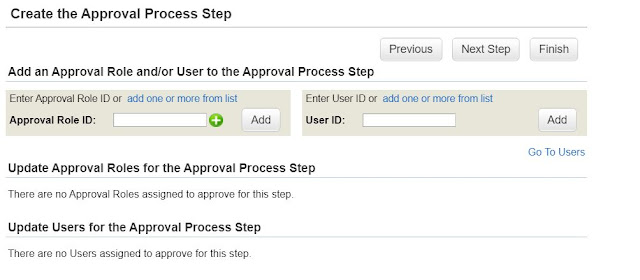
If you want to set up a Training Approval Process in SAP SuccessFactors Learning, you can do so in following 4 simple steps: 1) Create an Approval Role, and 2) Assign the Role to User(s) 3) Create Approval Process, and 4) Apply it to Items/Classes. Create Approval Role Navigate to References > System Administration > Approval Roles, Click Add New, Enter the Approval Role ID and Description, and Click Add. Close the window. Assign the Approval Role to a User Navigate to People > Users, Search for the user record, Click the user ID to access it, and then Choose Approval Roles tab. Select the role you created before and assign it to the user. The next thing you have to do is to select the Security Domain (to restrict the role to a specific part of the organization). Choose Apply Changes. Create Approval Process Go to References > System Administration > Approval Processes, Click Add New. Enter Process ID & Name, and Select (relevant)...