Posts

Showing posts with the label SAP SuccessFactors

What does an SAP SuccessFactors Administrator do?
Image
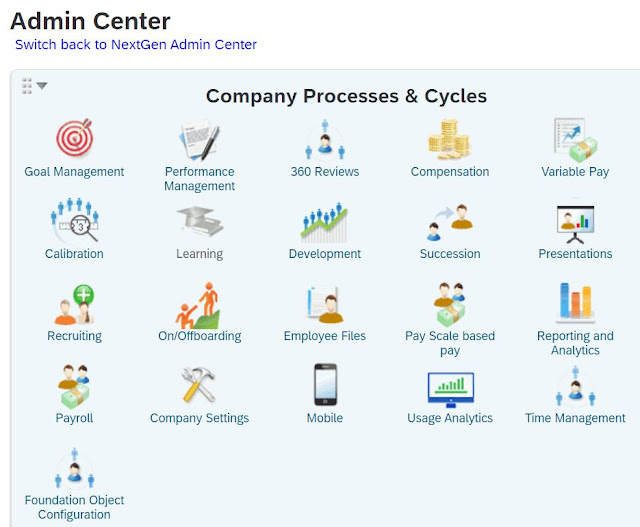
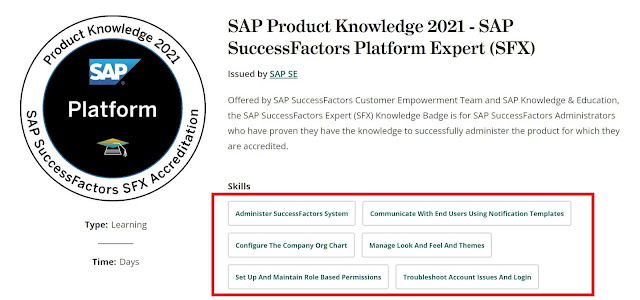
As described at Credly , a typical SAP SuccessFactors Administrator is required to Administer SuccessFactors System Communicate with End Users using Notification Templates Configure the Company Org. Chart Manage Look and Feel and Themes Set up and Maintain Role Based Permissions Troubleshoot Account Issues and Login The other activities are dependent on the modules being used by a company. For instance, in case of Employee Central , s/he also, from time-to-time, has to Add New Employees Define and Configure Workflows Modify Employee Records using HR Edit Setup and Maintain Role Based Permissions for EC Update Company Information Update Position Data They perform most of the tasks through Admin Center.  In addition to the system ownership and administration, they are responsible for user support. Other than the module knowledge, they are also expected to be aware of SAP Product Support best-practices, services, and tools.  Do you want to be an Administrator?
Ask an Expert Peer - Support Channel for SAP SuccessFactors Products

Image
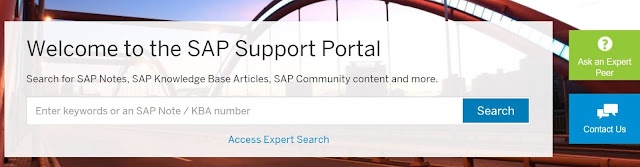
Have an urgent issue, within SAP SuccessFactors , to be resolved?  The SAP Support Portal provides a dedicated support channel for your HRIS. It's called Ask an Expert Peer .  To be able to access it, you need to be logged on to the portal. The green link on the right side of the screen provides you with two options: Learn more about it, or Use the support tool.  The tool is for specific type of issues and products. The details are provided on 'Learn more... page'. The second option (i.e. Ask an Expert Peer Now) let you use submit your question and to have private chat with experts.  I have used it and found it to be a very good channel. Have you used it too? What's your experience? 

Personal Development Plan to be an SAP SuccessFactors Consultant

Image
Dear SAP Aspirant, here's how you can create a Personal Development Plan to achieve your goal of becoming an Application Consultant ; Choose a module according to your previous experience, existing knowledge, or interests, Familiarize yourself with the work types and roles associated with the solution of your choice, Use Learning Journeys to learn about the training courses you'll need to develop required skills, and Create a workable plan, allocating enough time to reading manuals and completing exercises, and follow it strictly. An example: HR to SAP HRIS You have an HR (educational or professional) background and therefore you're interested in learning SAP SuccessFactors, and becoming its Consultant or Administrator. You find out that either of the two roles (stated above) require you to take prerequisite training of an open SAP course (introducing HXM), and SuccessFactors Overview and Platform Introduction courses. You, therefore, allocate enough time in your plan fo...

SAP Activate Methodology for SuccessFactors

Image
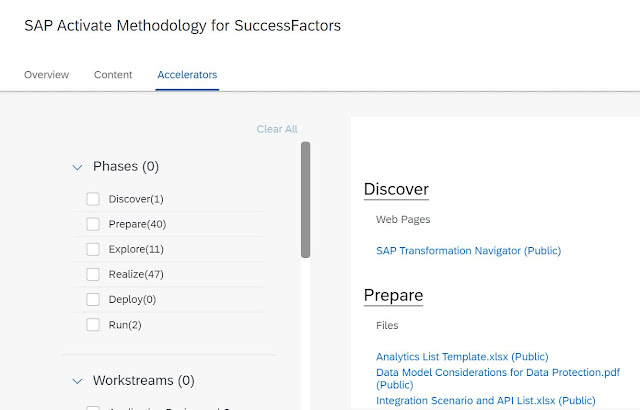
  (Why) do you need to understand SAP Activate Framework? It's not ONLY for Project Managers, but also for other Roles, including (Functional and Technical) Consultants. Don't you think having clear guidelines and necessary tools for each of the following can help you in delivering your work better, such as Planning and tracking project activities, Designing and configuring solutions, Enhancing and integrating applications, Supporting user readiness and managing change, and much more? In addition to the generic Activate qualification - SAP Activate Project Manager ( C_ACTIVATE13), there's another specific for SuccessFactors and other SAP cloud products - SAP Activate for Cloud Solutions Project Manager (E_ACTCLD_21). To prepare for the exam, you need to understand the content taught in ACT100, and ACT200. Both courses are available in SAP Learning Hub. The below screenshot highlights the Workstreams covered in ACT100 - SAP Activate Methodology . Inspiring, isn't it?

HR Line of Business and SAP SuccessFactors Solutions

Image
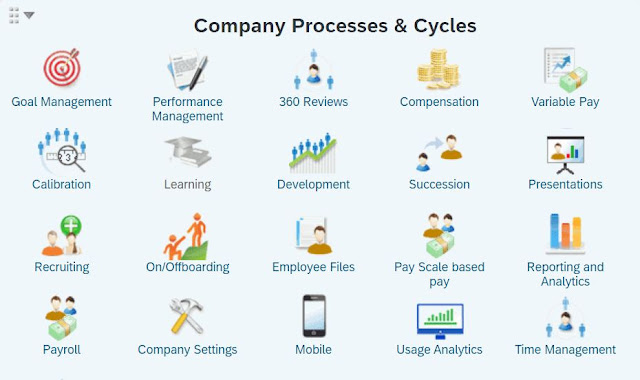
This blog provides an overview of the main SuccessFactors Solutions, to help those who want to know which one to choose to support a particular HR process.  Broadly, you can classify HR function into 2 major classifications, Core and Strategic , supporting short and long-term objectives of a business.  SAP provides a number of SaaS solutions to handle different aspects of HR line of business. Use 1) Employee Central , to keep up with changes to your business and workforce.  It lets you store HR records for all employees and keep transaction records & correction history.  2) Recruiting , to source, engage, and hire the right talent. It comprises of two solutions; Recruiting Marketing for candidates and Recruiting Management for recruiters.  3) Onboarding , to set up new hires for success from the start.  The tool is to ensure retention, engagement and productivity from day one when an employee joins an organization.  4) Performance , to evaluate an...

Workflows in LMS

Image
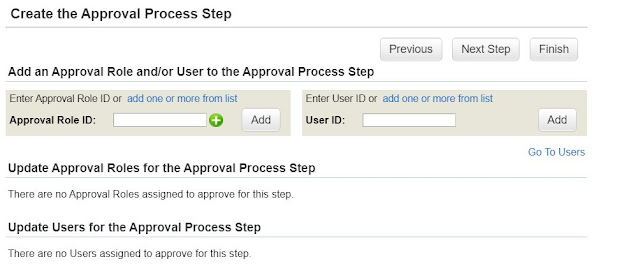
  If you want to set up a Training Approval Process in SAP SuccessFactors Learning, you can do so in following 4 simple steps: 1) Create an Approval Role, and 2) Assign the Role to User(s) 3) Create Approval Process, and 4) Apply it to Items/Classes. Create Approval Role Navigate to  References > System Administration > Approval Roles, Click Add New, Enter the Approval Role ID and Description, and Click Add. Close the window.  Assign the Approval Role to a User Navigate to   People > Users,  Search for the user record, Click the user ID to access it, and then Choose Approval Roles tab. Select the role you created before and assign it to the user. The next thing you have to do is to select the Security Domain (to restrict the role to a specific part of the organization). Choose Apply Changes.  Create Approval Process Go to References > System Administration > Approval Processes, Click Add New. Enter Process ID & Name, and Select (relevant)...

Building Blocks of an Online Item

Image
  The THR88e_EN_Col2105 is an E-Learning , available at SAP Learning Hub .  Want to know what is an Online Item and what are its Building Blocks ? The SAP SuccessFactors Learning Management Academy is an Item , with a specific Online Content Structure , within LMS.  The steps to configure an Item are as follows: Learning Administration > Menu > Learning Activities > Items > Add New Other than the Item Classification , Online, there's some additional detail which has to be maintained.  The Content Objects are configured through the following path:  Learning Administration > Menu > Content > Content Objects > Add New The other relevant detail, such as its Launch Method (such as Browser), is configured in subsequent screen.  The Content Objects are assigned to the Item at its Online Content tab.  You can also organize the added content if you Create Folder .  In the image below, Module 7 - Online Content Management is ...

SAP SuccessFactors Overview

Image
  Which SAP course provides a Functional Overview of SuccessFactors Solution?  It's HRSF1 - SAP SuccessFactors Overview What does it teach? It describes how Jobs are posted and Candidates are selected, New Joiners are Onboarded and their Data is maintained,  Targets are set for Employees and their Performance is Evaluated, Employee Learning and Development Needs are managed, and High Performers are Promoted and Rewarded.   Which modules does the course cover? In terms of modules, it covers following components: Recruiting Marketing and Recruiting Management Onboarding Employee Central (EC) Performance and Goal Management (PMGM) Learning Management Career Development Planning (CDP) Succession Management Compensation People Analytics Does it have any prerequisite(s)? None. However, it's highly recommended to attend  An Introduction to Human Experience Management (HXM) - an openSAP course with the following content.  Defining Employee E...

An Introduction of the (Platform) Introduction Training

Image
  You want to learn a specific SAP SuccessFactors module. As you start exploring the details, you get to know the course has a prerequisite i.e. THR80.  Looking at the contents of the course , you are still unsure what exactly you'll learn in the course as all of the terms are new to you.  You want to know more. You ask google and it tells you it's taught through self-guided learning, check-in meetings, and hands-on exercises.  Finally you find An Introduction of the (Platform) Introduction Training .  The blog answers some of the training  FAQs about the course.   I am completely new to SAP SuccessFactors. Should I start with the SAP SuccessFactors Platform Introduction Academy Training? It's better if you attend another course - An Introduction to Human Experience Management , available free of cost at open SAP, to first have an understanding of the context of SAP SuccessFactors Solutions.  The next, highly recommended, course is HRSF...

Learning the Learning Management System

Image
  The best thing about learning the LMS is you can relate all of your learning experiences to each of the topics covered within the THR88 course.  Want to know what to learn, and how? Well, here in this blog I have described the 'Learning Strategy' briefly.  The course is available in SAP Learning Hub and can be completed in 80 hours / 10 days.  Broadly, we can classify the content in following 4 categories; Roles:  Admin, User, Supervisor, and Instructor Elements:  Items, Curricula, and Programs etc. Processes:  Content & Class Management, Assessments, and other System:  Configuration, Customization, Security, and Integration The course first introduces different Interfaces , such as of a typical learner. Later on, it explains each of the elements, providing details, such as  What it is? and How it can be configured? How it is used in learning context? For example, searching an existing Item or creating a new one. You also learn the d...

Creating Live Slides using Presentations Feature

Image
  Have you explored the Presentations Feature within SAP SuccessFactors ? It allows HR users creating LIVE slides out of Talent Data, without having a need to create & run a report and then to download & format data to use in a presentation.  Here are the steps: 1) Access the feature from the main navigation menu i.e. Home > Presentations .  2) Click on + icon on top right side of the Presentations screen.  3) Give your presentation a name and choose OK . 4) You may Hide Instructions by clicking on the link. 5) Click on the Presentation Menu on top right side of the screen, and choose an action, such as Add a Live Slide . 6) Select an option to create a live slide of your choice.  7) Enter a user name and select/deselect Include Matrix Reports , as requried. Click Add Live Slide . 8) Create other slides, as/if needed, and select any of the options on top right side of the screen to View Slide Sorter or Timeline , or to Start Presentation Mode...